
FOR ANY QUERY
OFFICE NUMBER
+92 324 4498948
+92 301 4232009
mail us
info@awaisinternational.com
Location
Office # 915, 9th Floor, Al-Hafeez Executive, Block C3, Gulberg 3, Lahore, Punjab, Pakistan.
Buying a printer in Pakistan can feel harder than it should. One shop pushes inkjet, another swears by laser, and every brand claims to be the cheapest to run. If you just need one machine that prints, copies, and scans without eating your budget, a multifunction printer is usually the answer.
This guide explains what these machines do, which features matter, how popular HP and Canon models compare, and how to pick the right one for your office, school, or home. It is based on the questions customers most often ask an IT equipment supplier in Pakistan before they buy.
What Is a Multifunction Printer?
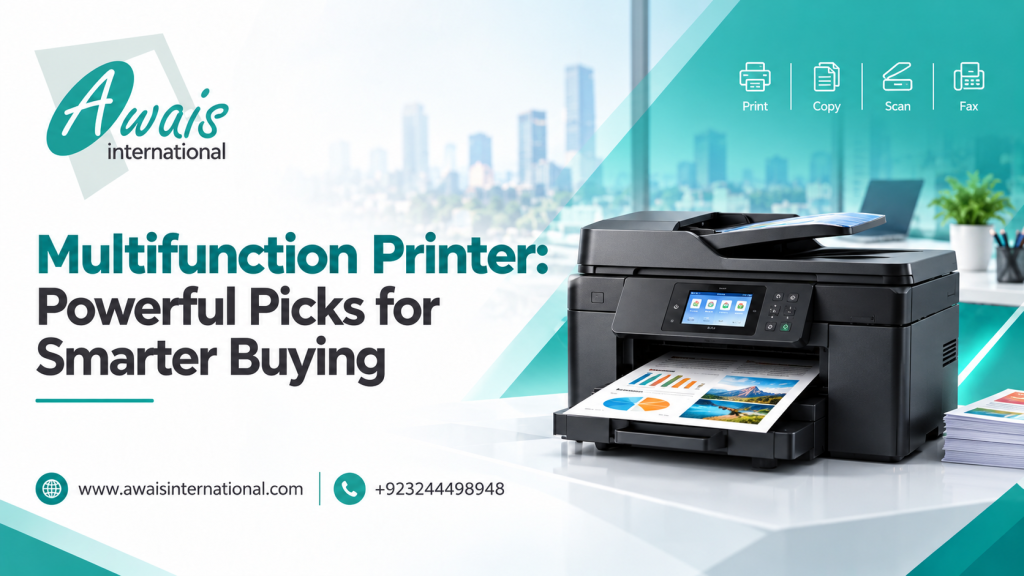
A multifunction printer (often called an MFP or all-in-one) combines several machines in one body. At minimum, it prints, copies, and scans. Many models also add faxing, duplex (two-sided) printing, and wireless connectivity. Note that it is different from a 3D printer, which builds physical objects layer by layer instead of printing on paper. If you are curious about that technology, our 3D printer buying guide with real prices in Pakistan explains how those machines work and what they cost.
Quick answer: A multifunction printer is a single device that performs printing, copying, and scanning, saving desk space and the cost of buying separate machines.
For a small office, this matters. One device means one power cable, one set of consumables, and one machine to maintain.
Why Businesses and Schools Prefer MFPs
- Lower total cost: One purchase replaces three.
- Space saving: Ideal for small shops, clinics, and classrooms.
- Faster workflow: Scan a CNIC, print an invoice, and copy a form without leaving your desk.
- Easier support: One warranty and one supplier to call.
Best Multifunction Printer Features to Consider
Before comparing brands, decide which features you will actually use. Paying for extras you never touch is the most common buying mistake.
- Print speed: Measured in pages per minute (ppm). Home users can manage with 15 to 20 ppm, while busy offices should look higher.
- Connectivity: USB is fine for one computer. If several people share the device, look for Wi-Fi or Ethernet.
- Duplex printing: Automatic two-sided printing saves paper, which adds up quickly over a year.
- Automatic document feeder (ADF): Essential if you scan or copy multi-page documents regularly.
- Monthly duty cycle: This tells you how many pages the printer can handle per month without wearing out early. Match it to your real workload.
- Cost per page: Check cartridge prices and page yield. A cheap printer with expensive toner often costs more in the long run.
HP LaserJet Pro M1132 vs. HP LaserJet M1005
Two names come up constantly in Pakistani IT markets: the HP LaserJet Pro M1132 and the HP LaserJet M1005. Both are compact monochrome machines, and both are popular for everyday office work.
HP LaserJet Pro M1132 Multifunction Printer
The HP LaserJet Pro M1132 multifunction printer is a reliable all-rounder. It prints, copies, and scans in a small footprint and handles daily office documents without fuss. It runs at roughly 18 ppm, which suits small teams, accounts desks, and home offices.
HP LaserJet M1005 Multifunction Printer
The M1005 is an older design that is still found in many offices. It offers the same three core functions at a slightly slower pace. Many people still use it because it is simple and durable.
Which One Should You Pick?
| Factor | M1132 | M1005 |
|---|---|---|
| Speed | Faster | Slightly slower |
| Best for | Small offices, daily use | Light, basic use |
| Design | Newer | Older |
| Availability | Common | Common, but ageing |
If your budget allows, the M1132 is generally the safer long-term choice. If you only print occasionally, the M1005 can still serve you well.
Looking at HP multifunction printer models more broadly, the LaserJet range is known for dependable mono output and widely available toner, which keeps running costs predictable.
Canon Multifunction Printer Models for Office Use
A Canon multifunction printer is another strong option, particularly for offices that value compact design and steady output. Canon’s imageCLASS and i-SENSYS lines include mono laser machines such as the MF3010, which suits small offices that need basic printing, copying, and scanning.
Higher-end Canon models add duplex printing, network support, and faster speeds, which suit busy departments and school administration offices.
What to check when comparing Canon with HP:
- Cartridge availability and price in your city
- Warranty terms from the local supplier
- Whether the model supports your operating system
- Page yield per cartridge
Both brands are solid. The better choice often comes down to local support, toner pricing, and the exact model in stock.
Mono Laser vs. Inkjet Multifunction Printers
This is one of the biggest decisions you will make.
Mono Laser Multifunction Printer
A mono laser multifunction printer prints in black and white using toner. It is fast, sharp on text, and cheaper per page for high volumes. Toner also does not dry out if the printer sits idle, which helps offices with irregular use.
Best for: Invoices, reports, contracts, assignments, and any text-heavy work.
Inkjet Multifunction Printer
Inkjets handle colour printing and photos well, and the upfront price is often lower. The trade-off is that ink runs out quickly and can dry up if you do not print regularly.
Best for: Home users who print photos, school projects, and occasional colour documents.
A Quick Rule of Thumb
If you print more than a few dozen pages a day and mostly need black-and-white documents, choose mono laser. If colour matters more than speed and cost, an inkjet makes sense.
Large-Format Machines Are a Different Category
Some buyers confuse conventional multifunction printers with specialty devices. The HP DesignJet T830 is a large-format multifunction printer built for architects, engineers, and designers who print big drawings and posters. It solves a very different problem from an office laser, so only consider it if your work truly needs large prints.
How to Choose the Right Printer for Your Business
Follow these steps and you will avoid most buying regrets.
- Estimate your monthly page volume. Be honest. Count invoices, forms, and copies.
- Decide on black-and-white or colour. Most offices need mono far more often than colour.
- Check connectivity. Shared printing needs Wi-Fi or Ethernet.
- Calculate cost per page. Include toner price and yield.
- Confirm local support. Make sure your supplier offers warranty and servicing.
- Plan for growth. A slightly higher duty cycle now can save you an upgrade later.
Matching the Printer to the User
- Home users: A compact mono laser, or an inkjet if colour is needed.
- Schools: Durable mono laser MFPs for worksheets, notices, and exam papers.
- Small businesses: Network-ready mono laser models with an ADF.
- Large offices: Higher-duty-cycle machines with duplex and fast output.
Most buyers set up a printer together with new computers. If you are equipping a small team on a tight budget, it is worth checking HP laptop prices in Pakistan between 20,000 and 30,000 so your laptops and your printer fit into one realistic budget.
Think About the Whole Office Setup
A printer rarely works alone. When you are equipping a new shop or office, it helps to plan the rest of the technology at the same time, from computers to security. If your premises also need surveillance, this guide to the best WiFi CCTV cameras in Pakistan can help you budget for cameras alongside your printing equipment.
Printer Maintenance, Drivers, and Compatibility
Even the best machine needs basic care. A few habits will extend its life and keep print quality high.
Simple Maintenance Tips
- Use genuine or quality-tested toner cartridges.
- Keep the printer in a clean, dust-free area.
- Clean the scanner glass regularly to avoid lines on copies.
- Use the correct paper weight and avoid damp paper.
- Do not leave the printer in direct sunlight or near heat.
Drivers and Compatibility
Every printer needs the correct driver to work with your computer. Always download drivers from the official manufacturer’s support page and match them to your operating system and exact model name.
Buyers often search for the HP LaserJet M1005 multifunction printer driver download or the HP DesignJet T830 multifunction printer driver after purchase. Make sure the driver you choose matches both your model and your Windows version. Older models like the M1005 may need extra steps on newer systems, so check compatibility before you buy a used or older unit.
Compatibility also depends on the computer you connect to the printer. If your team is moving to new machines, you can compare Dell laptop prices in Pakistan between 20,000 and 30,000 and confirm that your printer drivers support the Windows version those laptops ship with.
How to Request a Multifunction Printer Quote from Awais International
If you are buying for a company, school, or multiple branches, a quote can save you real money. Here is a simple way to get an accurate one.
- Note the model or type of printer you want (mono laser, inkjet, or large format).
- Mention how many units you need.
- Share your estimated monthly page volume.
- State whether you need Wi-Fi, duplex, or an ADF.
- Contact the team with your city and delivery needs.
Providing these details helps the sales team recommend the right machine instead of a generic option. Awais International supports both retail customers and bulk business buyers across Pakistan.
Frequently Asked Questions
What is the best multifunction printer for a small office?
A mono laser multifunction printer such as the HP LaserJet Pro M1132 or a comparable Canon model is usually best. It offers fast, low-cost black-and-white printing along with copying and scanning.
Is a mono laser multifunction printer better than inkjet?
For text-heavy work and high volume, yes. Mono laser is faster and cheaper per page. Inkjet is better if you need colour or photo printing.
Which is better, HP or Canon?
Both are reliable. HP offers a wide range of LaserJet models with easy toner availability, while Canon is known for compact, steady machines. Choose based on your exact model, toner cost, and local support.
Where can I download drivers for my printer?
Download them from the manufacturer’s official support website. Select your exact model and operating system to avoid compatibility problems.
Can a multifunction printer handle large-format or 3D printing?
No. Standard office MFPs are made for paper-size documents. Large-format models like the HP DesignJet series handle big drawings, and 3D printers are an entirely separate technology.
Conclusion: Choose Smart, Buy Once
The right multifunction printer is the one that fits your workload, your budget, and your support needs. For most offices and schools in Pakistan, a reliable mono laser model from HP or Canon delivers the best balance of speed, quality, and running cost. Take a few minutes to compare models, check cost per page, and confirm driver compatibility before you pay.
Ready to buy? Talk to Awais International, a trusted IT equipment supplier in Pakistan, for stock availability, pricing, and bulk order support. Send us your requirements today and get a quote tailored to your business.