
FOR ANY QUERY
OFFICE NUMBER
+92 324 4498948
+92 301 4232009
mail us
info@awaisinternational.com
Location
Office # 915, 9th Floor, Al-Hafeez Executive, Block C3, Gulberg 3, Lahore, Punjab, Pakistan.
Buying a hard drive sounds simple until you’re standing in front of a shelf full of options, wondering whether you need an SSD or a regular HDD, how much storage is enough, and why prices swing so wildly between shops. A wrong choice here doesn’t just waste money — it can mean slow performance, lost files, or a drive that fails within months.
This guide walks you through everything you need to know about a , from how it works to how to check hard drive health, so you can buy with confidence and avoid the mistakes that trip up most first-time buyers.
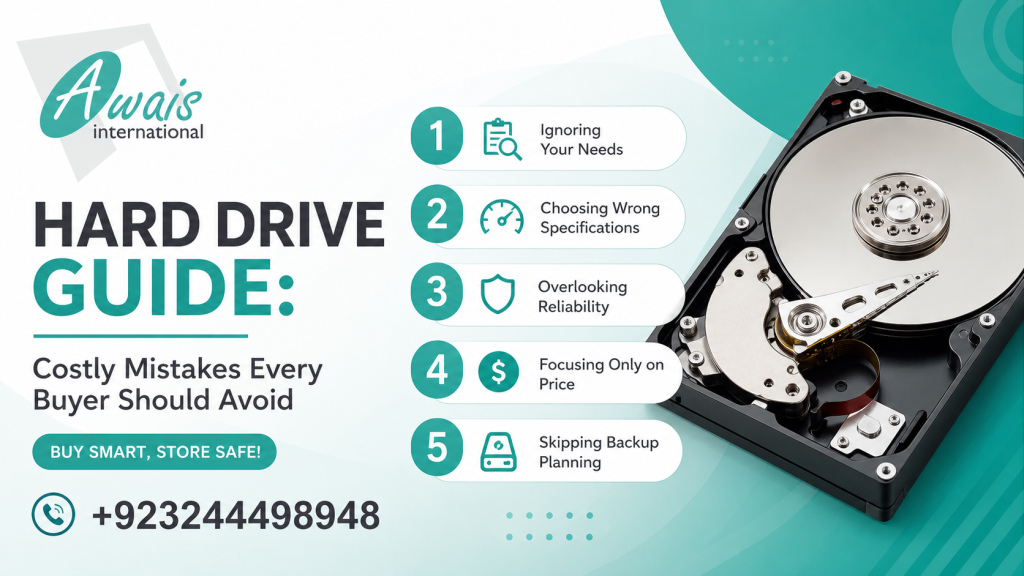
What Is a Hard Drive?
A hard drive is the component inside your computer, laptop, or server that stores your operating system, files, photos, videos, and applications permanently — even after you turn the device off. Unlike RAM, which clears every time you shut down, a hard drive keeps your data safe for long-term use.
Every desktop, laptop, gaming rig, and even surveillance system relies on some form of storage drive to function. Without one, there’s simply nowhere for your data to live.
How Does a Hard Drive Work?
Traditional hard drives (HDDs) use spinning magnetic platters and a moving read/write head to store and retrieve data, similar to how a record player reads a vinyl disc. This mechanical process is reliable but relatively slow compared to newer technology.
Solid state drives (SSDs), on the other hand, have no moving parts. They store data on flash memory chips, which allows them to read and write information almost instantly. This difference in design is the main reason SSDs outperform traditional drives in speed, durability, and power efficiency.
Types of Hard Drives
Not all storage drives are built the same. Here’s a breakdown of the main categories you’ll come across while shopping.
HDD (Hard Disk Drive)
The traditional spinning-disk drive. It’s affordable, available in large capacities, and ideal for bulk storage like media libraries, backups, and surveillance footage.
SSD Hard Drive
A solid state drive that uses flash memory instead of spinning platters. An SSD hard drive is significantly faster, quieter, and more shock-resistant, making it the preferred choice for operating systems and everyday computing.
External Hard Drive
A portable storage unit that connects via USB, commonly used for backups, transferring large files, or freeing up space on a laptop without opening the device.
Internal Hard Drive
Installed directly inside a desktop or laptop chassis, internal drives serve as the primary storage for the system and are connected via SATA or NVMe interfaces.
SSD Hard Drive vs HDD
This is one of the most common questions buyers ask, and the right answer depends on your use case rather than one option being universally “better.”
- Speed: An SSD hard drive boots your system and loads programs in seconds, while an HDD can take significantly longer.
- Durability: SSDs have no moving parts, so they handle drops and vibration far better — useful for laptops that travel often.
- Cost per GB: HDDs remain cheaper for large storage capacities, which is why they’re still popular for bulk data and archival needs.
- Real-world use: Office staff running spreadsheets and browsers benefit hugely from an SSD’s snappy performance. Gamers get faster load times with an SSD but often pair it with an HDD for storing large game libraries affordably. Creative professionals editing video or high-resolution images need SSD speed to avoid lag, while businesses running backup servers often rely on HDDs for cost-effective bulk capacity.
For anyone upgrading an older laptop, swapping a worn-out HDD for an SSD is one of the most noticeable performance upgrades you can make. If you’re also considering a full system upgrade, it’s worth browsing options like HP laptop prices in Pakistan between 20,000 and 30,000 to see what’s compatible with faster storage.
How to Check Hard Drive Health
Learning how to check hard drive health regularly can save you from sudden data loss. A drive rarely fails without warning — it usually shows small signs first, and catching them early gives you time to back up your files.
To check hard drive health, look at:
- SMART status — most drives report self-monitoring data that flags early warning signs.
- Read/write speed drops — a sudden slowdown often points to a failing drive.
- Unusual noises — clicking or grinding sounds from an HDD usually mean mechanical wear.
- Frequent freezing or crashes — especially during file transfers.
Best Tools to Check Hard Drive Health
You don’t need to be a technician to check hard drive health. Several free and reliable tools make this simple:
- CrystalDiskInfo – a lightweight tool that reads SMART data and gives your drive a clear health status.
- Windows built-in CHKDSK – scans for file system errors and bad sectors.
- Manufacturer tools – Seagate SeaTools and Western Digital Dashboard are built specifically for their own drives and often catch issues generic tools miss.
- HD Tune – useful for benchmarking speed alongside health scans.
Running one of these tools every few months is a simple habit that can prevent a lot of stress later.
Signs Your Hard Drive Is Failing
Knowing the warning signs helps you back up data before it’s too late. Watch out for:
- Files that won’t open or become corrupted without explanation
- The operating system taking noticeably longer to boot
- Repeated blue screens or system crashes
- Clicking, whirring, or grinding sounds from an HDD
- Bad sector warnings during a disk check
- The drive disappearing intermittently from the system
If you notice two or more of these signs, it’s time to back up your data immediately and start planning a replacement.
2TB Hard Drive Price in Pakistan
The 2TB hard drive price in Pakistan varies depending on the type, brand, and whether it’s internal or external. Generally, a 2TB internal SATA drive tends to be more budget-friendly than a 2TB external portable drive, since external units include an enclosure, USB interface, and added portability. SSD versions of 2TB storage carry a noticeably higher price tag than traditional HDDs due to the faster flash memory inside them.
Because import costs and currency fluctuations affect electronics pricing across Pakistan, it’s worth comparing a few trusted retailers before buying rather than relying on one listing. Buying from an authorized supplier also reduces the risk of picking up a used or refurbished drive sold as new.
Common Mistakes Buyers Make
Even experienced buyers fall into these traps:
- Buying storage capacity without checking speed. A large HDD can still feel slow for daily tasks compared to a smaller SSD.
- Ignoring compatibility. Not every drive interface works with every laptop, desktop, or server — always confirm SATA, NVMe, or USB compatibility first.
- Skipping warranty checks. A hard drive without warranty backing is a risky purchase, since drives can fail unexpectedly even when new.
- Choosing based on price alone. The cheapest drive on the market is often refurbished or from an unauthorized source, increasing failure risk.
- Overlooking use case. A drive great for gaming may not suit a surveillance system or business server, and vice versa.
How to Choose the Right Hard Drive
Match the drive to how you’ll actually use it:
- Everyday computing and office work: A mid-capacity SSD keeps things fast and responsive.
- Gaming: An SSD for your operating system and current games, paired with an HDD for your larger library.
- Creative work (video/photo editing): Prioritize SSD speed, ideally NVMe if your system supports it.
- Data backup and archiving: A high-capacity HDD offers the best value per gigabyte.
- Surveillance systems and servers: Purpose-built drives rated for continuous read/write cycles, such as surveillance-specific HDDs, hold up better long-term than standard desktop drives.
If you’re setting up a workstation for design, editing, or engineering work, it also helps to look at broader hardware needs — our guide on the best 3D printer options in Pakistan covers professional-grade equipment that pairs well with high-performance storage setups.
Why Buy from Awais International
Storage is only as reliable as the supplier behind it. At Awais International, every hard drive goes through testing before it reaches a customer, so you’re not gambling on an untested unit. As one of Pakistan’s established IT wholesalers, the focus is on genuine hardware, proper warranty support, and after-sales service — whether you’re a business setting up enterprise storage or an individual upgrading a personal laptop.
For businesses and institutions looking for a dependable, long-term hardware partner, it’s also worth checking our list of HP Authorized Partners in Lahore for trusted sourcing and support across the region.
Frequently Asked Questions
Is SSD better than HDD for everyday use?
For everyday tasks like browsing, office work, and general computing, an SSD hard drive offers noticeably better speed and responsiveness. HDDs remain a solid choice when you need large storage at a lower cost.
How often should I check hard drive health?
Running a health check every two to three months is a good habit, especially if your drive is more than two years old or used heavily for work.
What’s a fair 2TB hard drive price in Pakistan?
Pricing depends on whether you choose an internal or external drive, HDD or SSD, and the brand. Comparing a few trusted retailers before purchasing is the best way to gauge fair market pricing at any given time.
Can a failing hard drive be fixed?
In some cases, bad sectors can be repaired with disk utility tools, but if you’re seeing physical symptoms like clicking noises, the safest move is backing up your data and replacing the drive rather than attempting a repair.
Do laptops and desktops use the same hard drives?
Not always. Laptops typically use 2.5-inch drives, while desktops commonly use 3.5-inch drives. Always check your device’s specifications before purchasing.
Final Thoughts
Choosing the right hard drive doesn’t have to be complicated once you understand the difference between HDD and SSD, know how to check hard drive health regularly, and buy from a supplier you can trust. Whether you need a 2TB hard drive for backup, an SSD for speed, or enterprise-grade storage for your business, making an informed choice now saves you money and stress later.
Ready to upgrade your storage? Explore genuine, tested hard drives and get expert advice by visiting Awais International today — Pakistan’s trusted partner for IT hardware and storage solutions.
As one of Pakistan’s trusted IT wholesalers, Awais International offers genuine enterprise hardware backed by expert guidance and reliable after-sales support. Businesses across Pakistan rely on us for authentic server solutions tailored to their operational needs, whether it’s a small office setup or a large-scale enterprise deployment.
If you’re also upgrading your workstations alongside your server infrastructure, check out our guide on HP laptop prices in Pakistan or explore our top laptops under 100K for your team. We are also proud HP authorized partners in Lahore, ensuring genuine products and dependable support.